
Most conversations about enterprise AI are about models that write, summaries and answer queries. But a large part of everyday business work isn't writing. It's choosing: what is this, how urgent is it, and who should handle it?
That is the gap Microsoft-Decision-1 is built for. Released in October 2026 and available in Microsoft Foundry, it doesn't generate text. You give it a situation and a fixed set of options, and it returns a probability for each option in a single pass.
So where does that actually help?
Why a specialized model makes sense
Using a large general-purpose model to decide "is this ticket urgent?" works, but it is often slower and costlier than the task needs. The cost compounds when decisions are chained one after another.
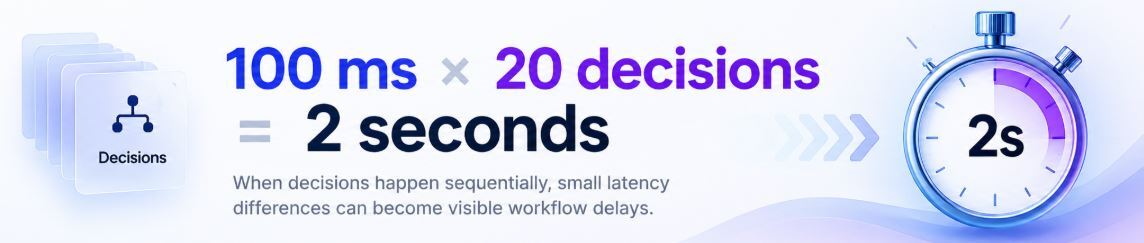
The principle is simple: use the right type of AI for the right job.
Six decisions every business process runs on
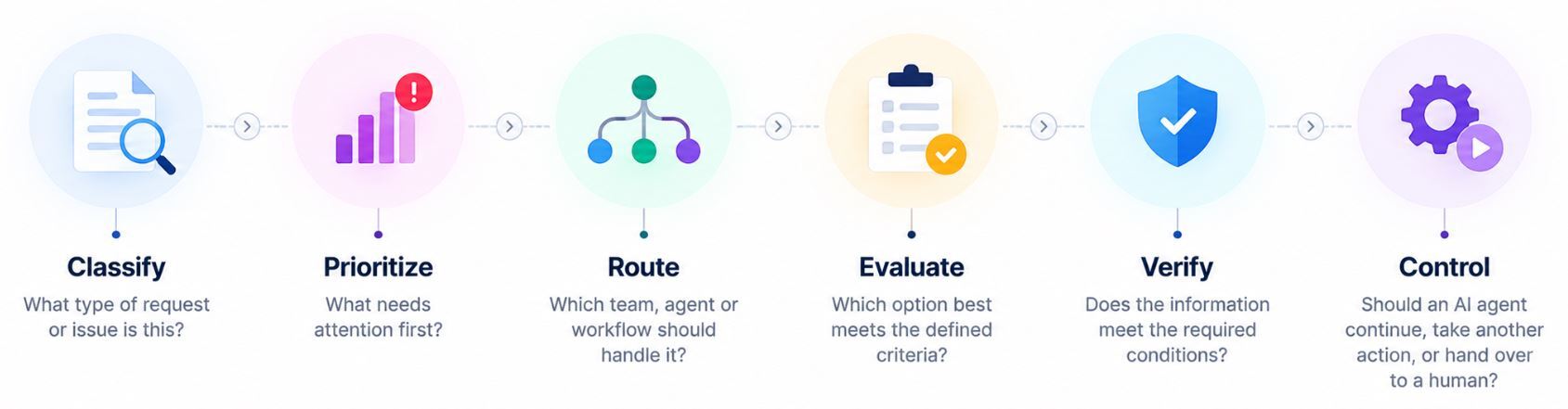
The real difference: scores, not sentences
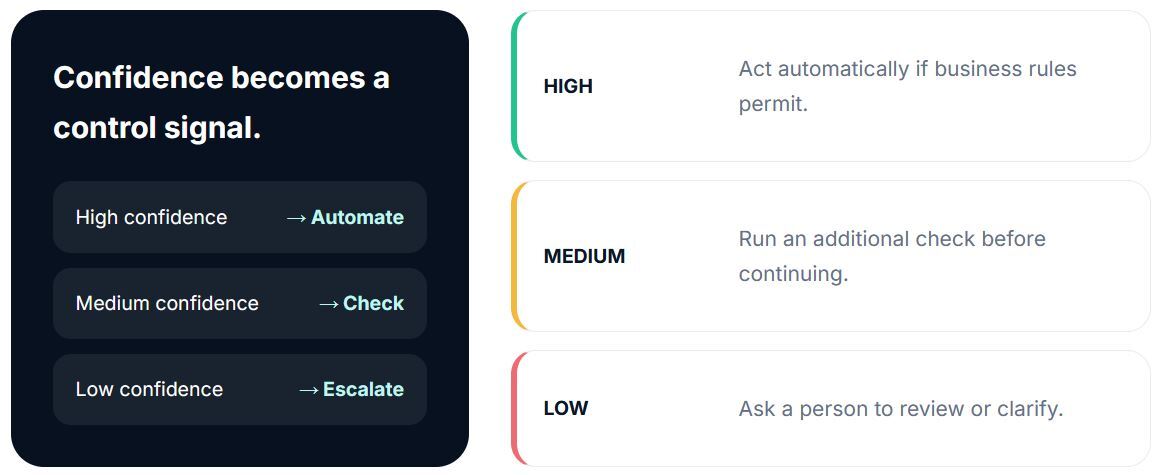
Because the model returns a confidence score for every option, the process can react to how sure the AI is. That creates a practical mechanism for deciding when automation should continue and when a person should step in.
Where it can be useful
- IT service management: Classify, prioritise and route incidents and service requests to the right team without manual triage.
- Vendor evaluation: Assess submissions against set criteria, rank them, spot gaps and flag the ones that need a closer look.
- Compliance and risk: Check information against requirements and surface exceptions for investigation.
- Quality control: Separate routine cases from the exceptions that deserve human attention.
- Agent orchestration: As more AI agents are deployed, decide which agent, tool or workflow should act next.
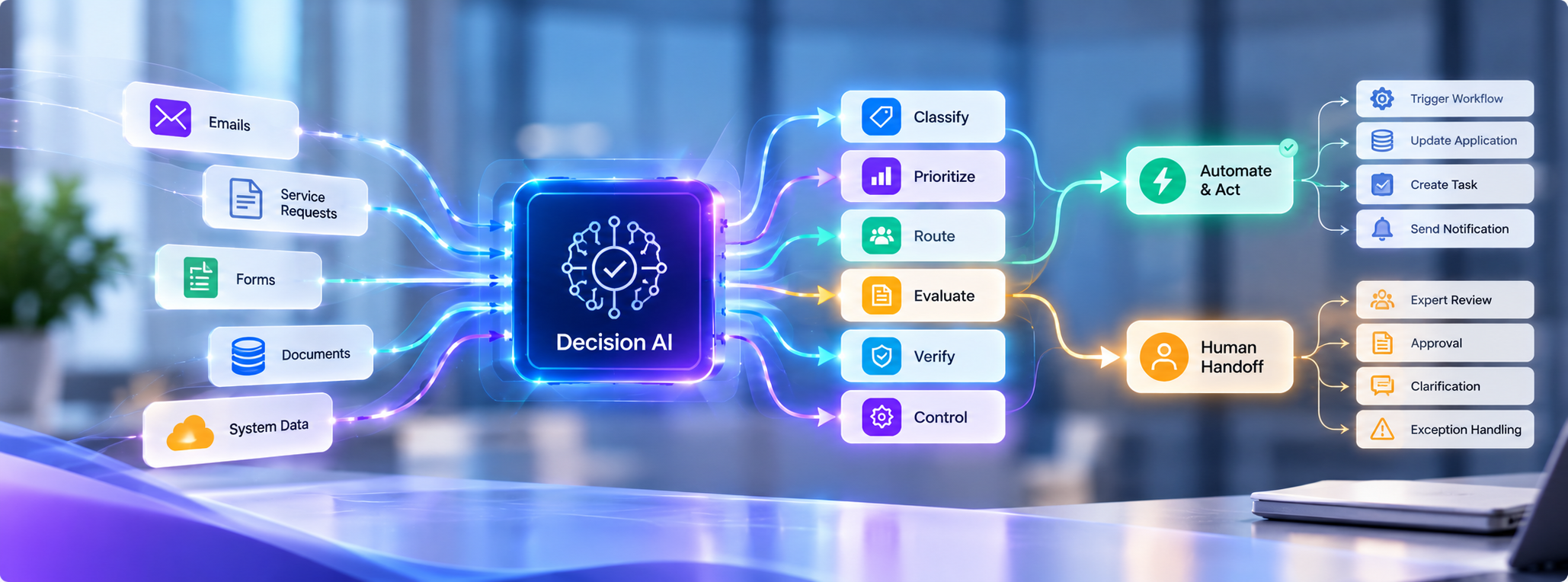
How Decision AI Moves Work Forward
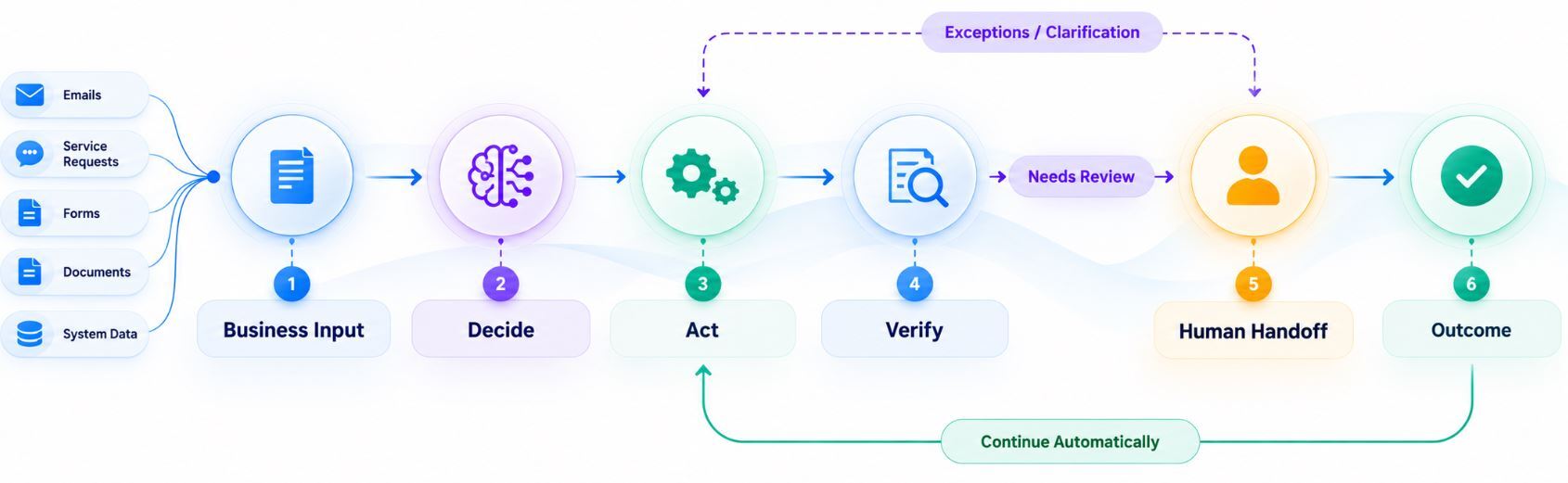
1. Business input
Emails, service requests, forms, documents or system data arrive from different places.
2. Decide
The model scores the available context against your criteria and business rules. The decision doesn't have to be complex. It has to be fast, consistent and structured.
3. Act
The result triggers the next step: starting a workflow, calling an AI agent, updating an application, creating a task or sending a notification.
4. Verify
Checks confirm the conditions are met and flag exceptions before anything moves forward.
5. Human handoff
Cases that need approval, expert review, clarification or exception handling go to a person. AI helps decide when people are needed instead of removing them.
6. Outcome
The goal isn't the decision itself. It's faster execution, higher accuracy, less manual effort and better governance.
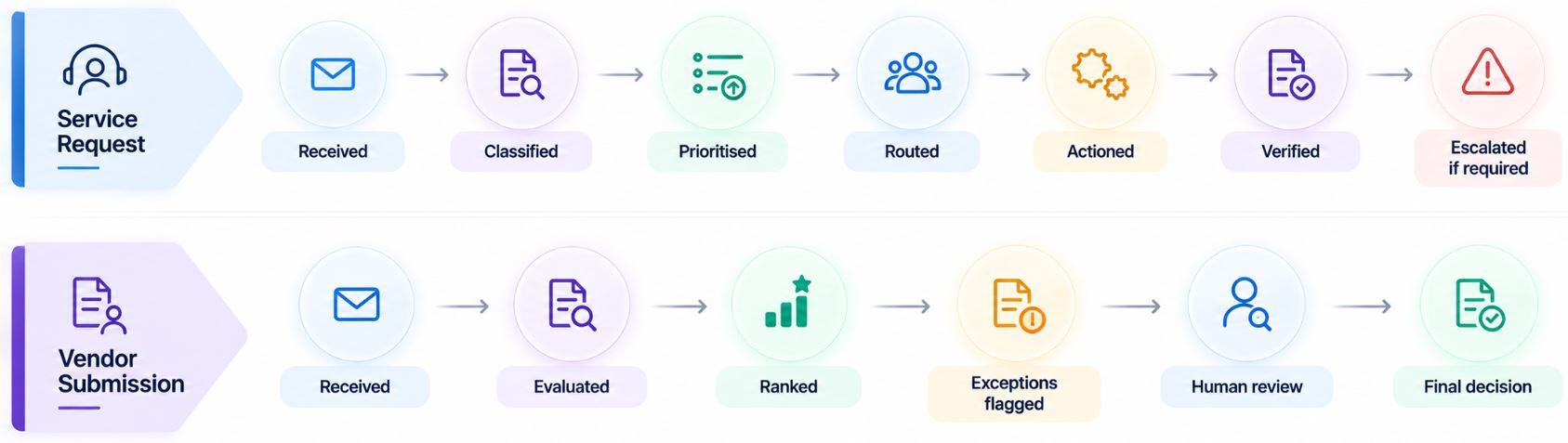
Two examples of how this looks end to end:
Things to keep in mind
Scope matters. Decision-1 chooses between options you define. It isn't built for open-ended writing, conversation or summarizing.
Benchmark figures come from Microsoft's own testing, so validate results on your own data before relying on them.
Keep people involved in high-stakes decisions, and use confidence thresholds to decide when.
The model is only one part. The value comes from connecting it to agents, workflows, applications and enterprise systems.